
iFANN
    Search iFANN...
    Log in
    Home
    News
    Videos
    Photos
    GIFs
    Explore
    Polls
    Awards
    iFAMOUS
    Wiki
    Anime
    Rooms
    Notifications
    Messages
    Bookmarks
    Profile
    WikiAwardsiFAMOUSRankingsIndustriesCreator RewardsUser RewardsTermsPrivacyCommunity GuidelinesTakedown / DMCAHelpDevelopers

    © 2026 iFANN

    Home
    Search
    Messages
    Alerts
    Profile
    Photo
    Professional Portal ☀️
    Professional Portal ☀️@professional_portal4d
    🏢Techland💭Mobile Gaming💭Gaming
    Dying Light on Android with Bluetooth peripherals

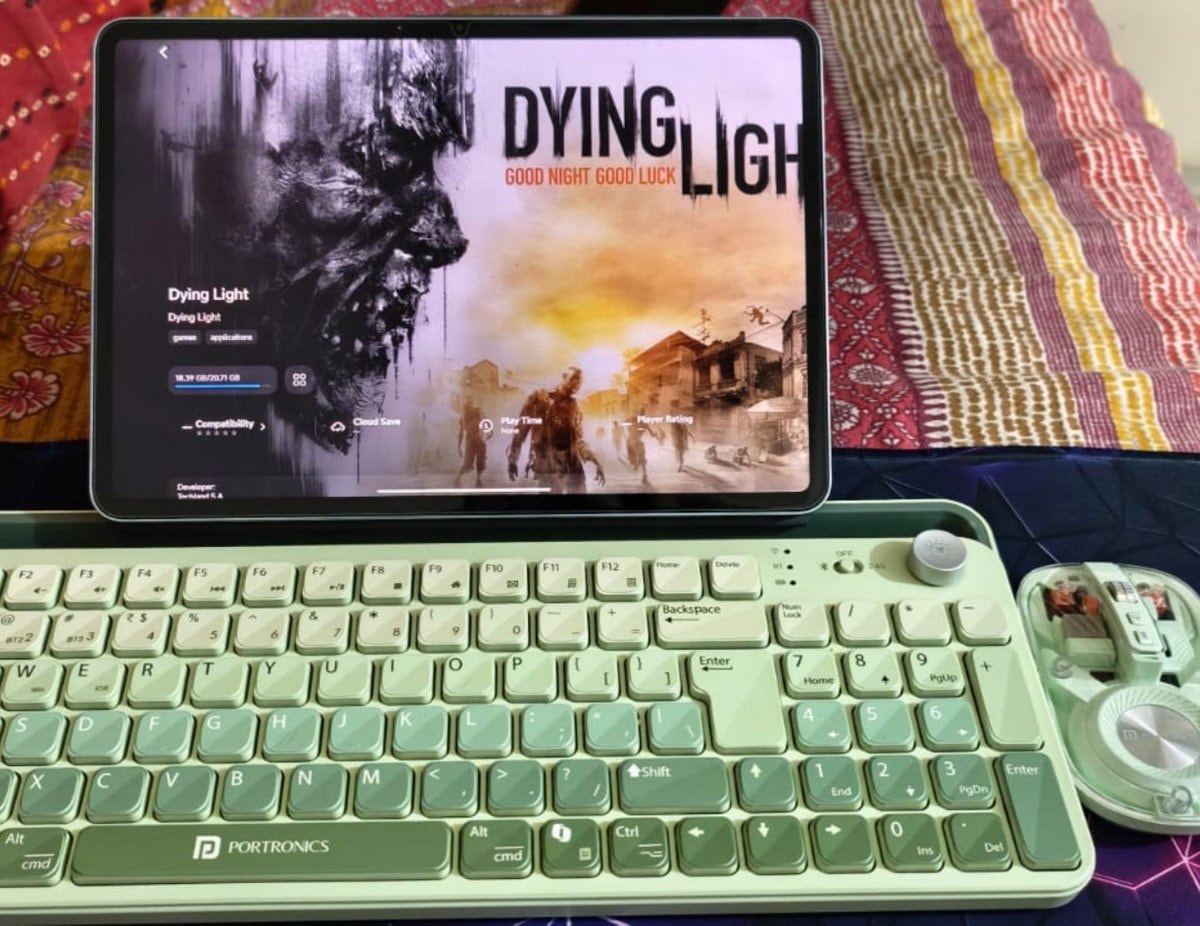
    @professional_portalHonestly, the fact that Dying Light runs smoothly on Android is a genuine surprise. The setup starts by grabbing Gamehub from the Playstore, then logging into either a Steam or Epic Account, my example was a free claim from the Epic Library. Once downloaded, you connect the game to a keyboard and mouse via Bluetooth for the full experience. Techland S.A. made this work, and I will drop a full review of the session later.

    View original post

    Dying Light on Android with Bluetooth peripherals

    Photo by @professional_portal· Oct 17, 2026· Techland

    About this photo

    The focus is on a tablet displaying the game "Dying Light." The screen shows the game's title art with a zombie's face and a cityscape. A light green keyboard and mouse are positioned in front of the tablet, suggesting a gaming setup. The overall mood is casual and focused on gaming. A notable detail is the "PORTRONICS" logo on the keyboard. ON-SCREEN TEXT: DYING LIGHT GOOD NIGHT GOOD LUCK Dying Light Dying Light games applications 18.39 GB/20.71 GB Compatibility ***** Cloud Save Play Time None Developer: Techland S.A.

    See all Techland photosRead the Techland wiki

    ?

    No comments yet. Be the first!

    More Techland photos

    See all Techland photos
    Dying Light The Beast newsDying Light The Beast news
    Photo
    Professional Portal ☀️
    Professional Portal ☀️@professional_portal4d
    🏢Techland💭Mobile Gaming💭Gaming
    Dying Light on Android with Bluetooth peripherals

    @professional_portalHonestly, the fact that Dying Light runs smoothly on Android is a genuine surprise. The setup starts by grabbing Gamehub from the Playstore, then logging into either a Steam or Epic Account, my example was a free claim from the Epic Library. Once downloaded, you connect the game to a keyboard and mouse via Bluetooth for the full experience. Techland S.A. made this work, and I will drop a full review of the session later.

    View original post

    Dying Light on Android with Bluetooth peripherals

    Photo by @professional_portal· Oct 17, 2026· Techland

    About this photo

    The focus is on a tablet displaying the game "Dying Light." The screen shows the game's title art with a zombie's face and a cityscape. A light green keyboard and mouse are positioned in front of the tablet, suggesting a gaming setup. The overall mood is casual and focused on gaming. A notable detail is the "PORTRONICS" logo on the keyboard. ON-SCREEN TEXT: DYING LIGHT GOOD NIGHT GOOD LUCK Dying Light Dying Light games applications 18.39 GB/20.71 GB Compatibility ***** Cloud Save Play Time None Developer: Techland S.A.

    See all Techland photosRead the Techland wiki

    ?

    No comments yet. Be the first!

    More Techland photos

    See all Techland photos
    Dying Light The Beast newsDying Light The Beast news